
Take your studying everywhere with you
The Katav app is built for studying on the go. Flashcards, pomodoro, quizzes and lecture review — anywhere, anytime. The web app is still where you take your best notes.
Built for one thing: helping you study
The mobile app focuses on the moments between classes — quick reviews, focused sessions, self-quizzing. The kind of study that adds up.
Flash Cards
Review the flashcards Katav generated from your notes. Quick rounds while you wait for the bus add up to a full review by exam day.
Pomodoro
Focus timer right in the app. Pick the focus and break length you like, and run a real study session without leaving your phone.
Note Review
Open any class note and reread the content with the AI summary, highlights and key concepts already pulled out for you.
Quizzes
Run mini-quizzes built from your class material. See what stuck and what still needs another pass — without opening a laptop.
Lecture Recording
Hit record in class and let Katav handle the transcription on the server. The full summary will be waiting in the web app.
Quick Notes
Yes, you can also take notes on your phone — handy in a pinch. But for the real note-taking work, the web app is still where you'll want to be.
See exactly what the app does
Six screens from the real app — what you get from the first class of the semester to the night before the exam.
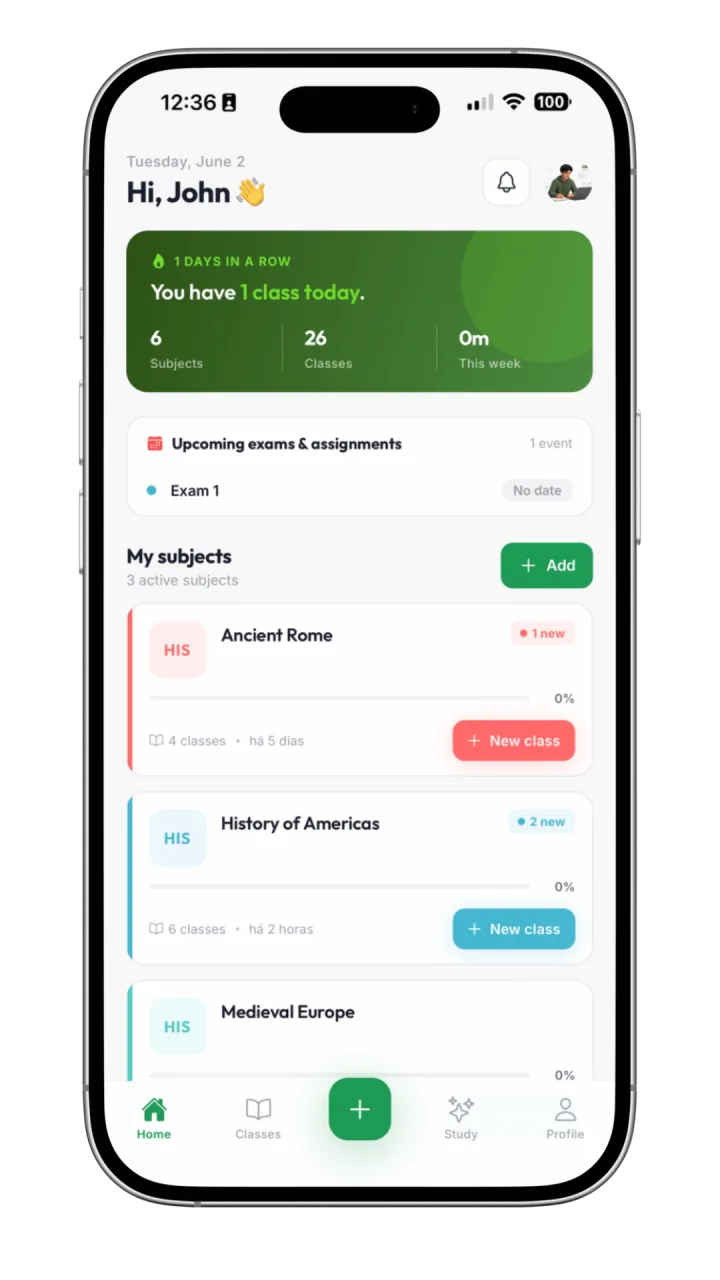
Your semester at a glance
The home screen opens on today: the classes you have, the exams and assignments coming up, and every subject with how much of it you have already captured. No digging to find where you left off.
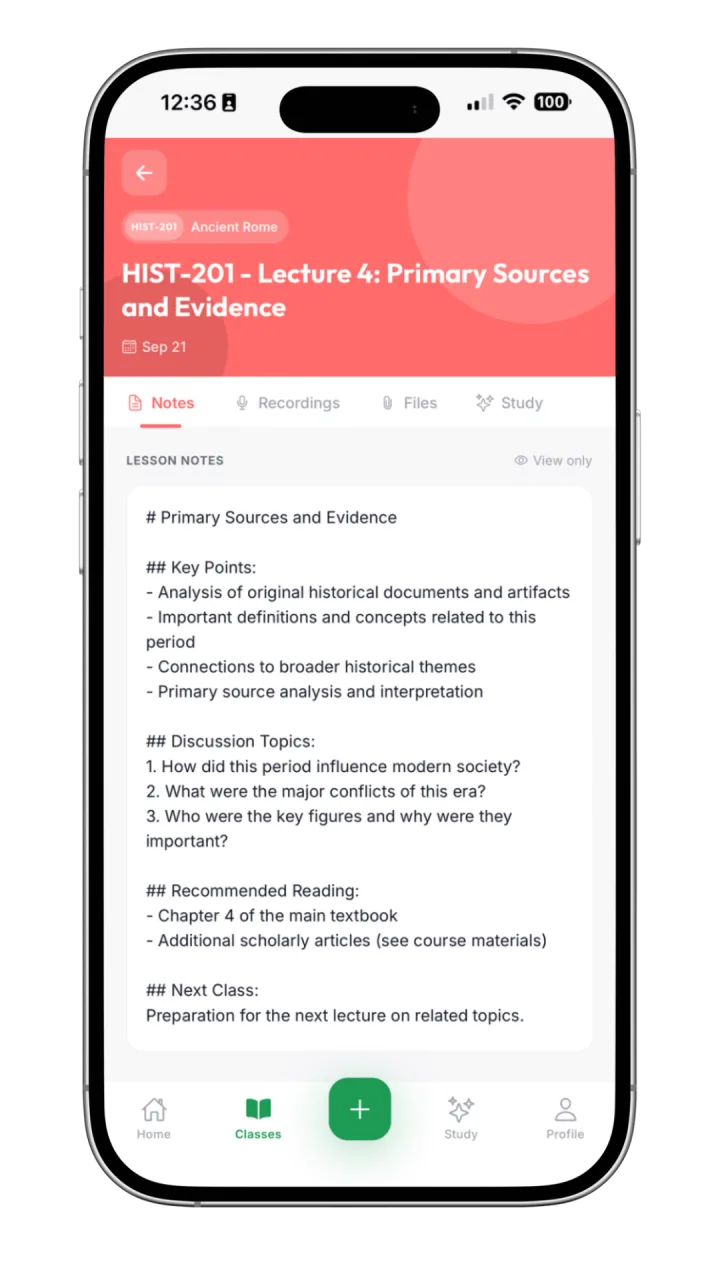
Take notes during class
Type on your phone or handwrite on your tablet while the lecture happens. Everything lands in the right class of the right subject, with the recordings, files and study tools one tab away.
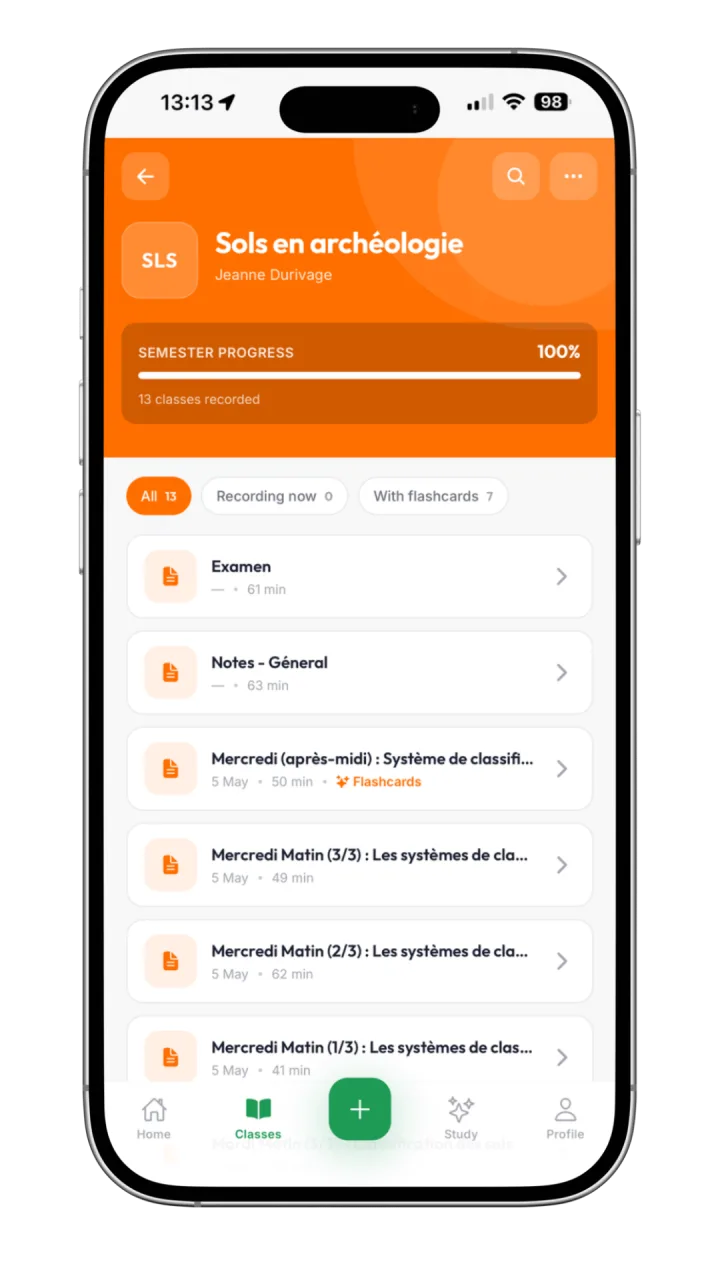
Every class of a subject in one list
Open a subject and you get its whole semester: each session with its date, its length and whether it already has flashcards. Filter to what is recording now or what is ready to review.
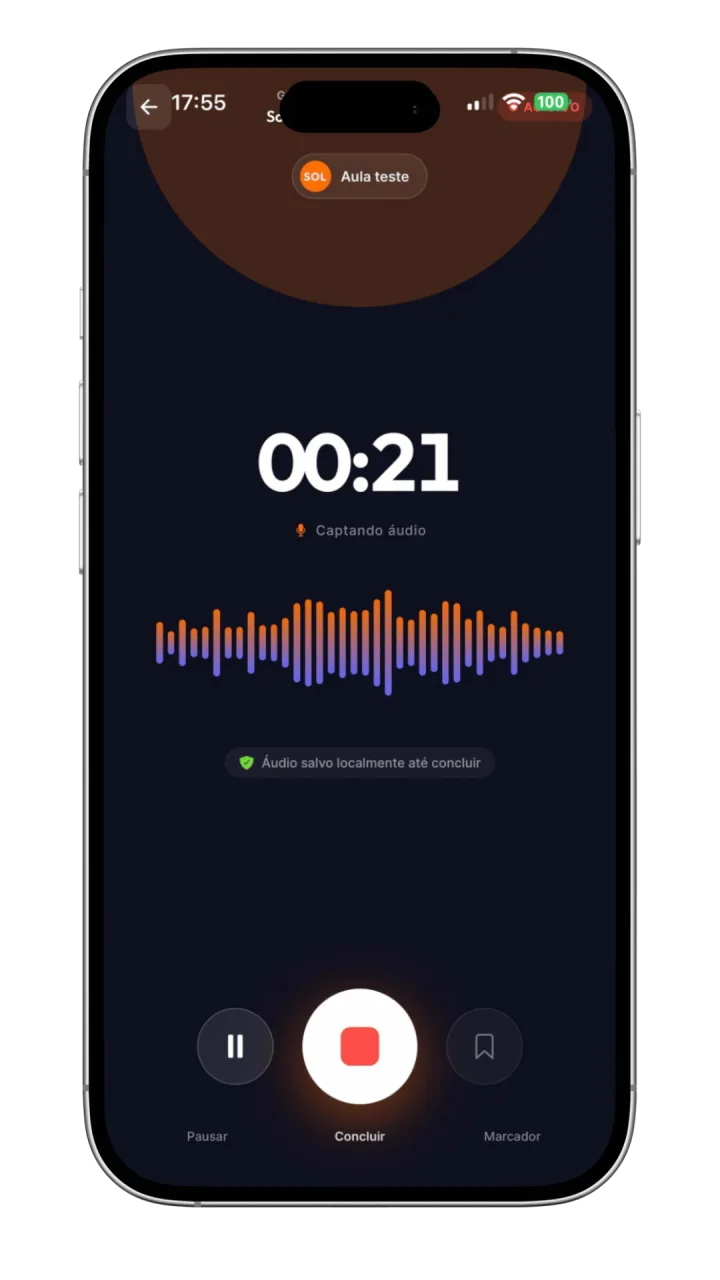
Record the lecture, get the transcript
Tap record and put the phone down. Audio is kept on the device until the recording ends, then Katav transcribes it and uses it to fill in what your notes missed.
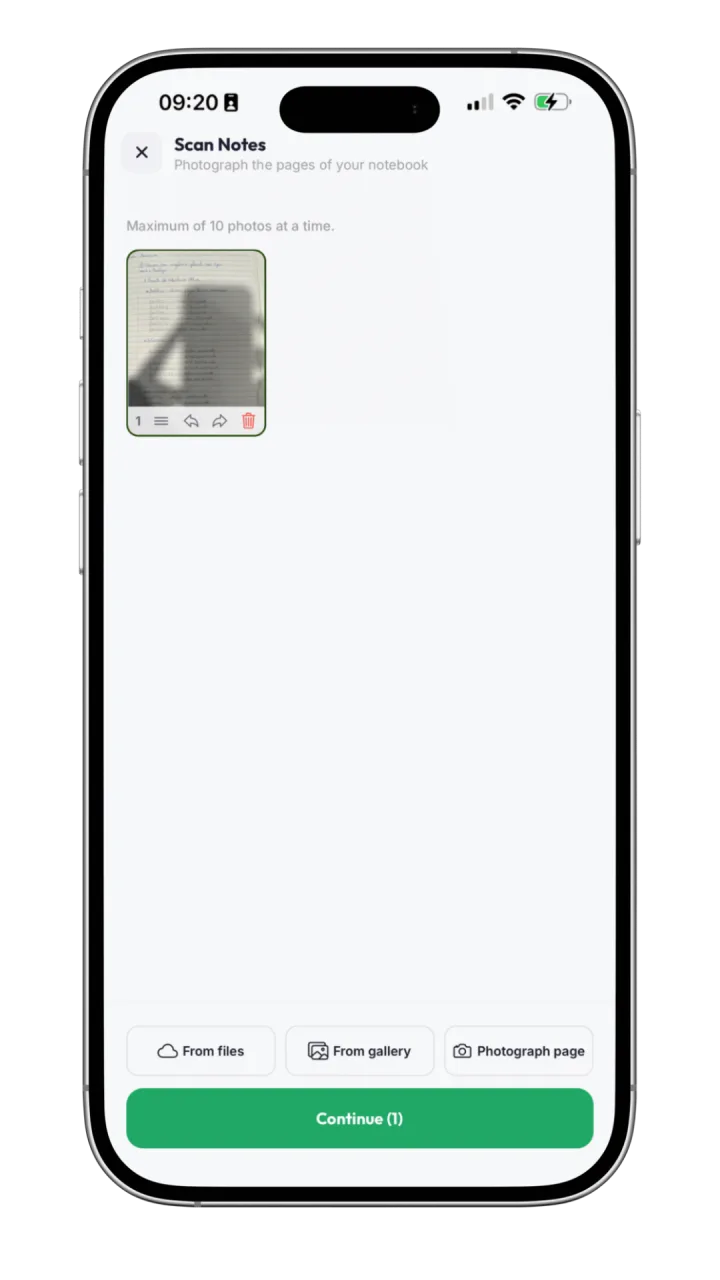
Turn your paper notebook into notes
Photograph up to ten pages at a time and Katav reads your handwriting into the class, so notes you took on paper are searchable and usable by the AI tools like any other.
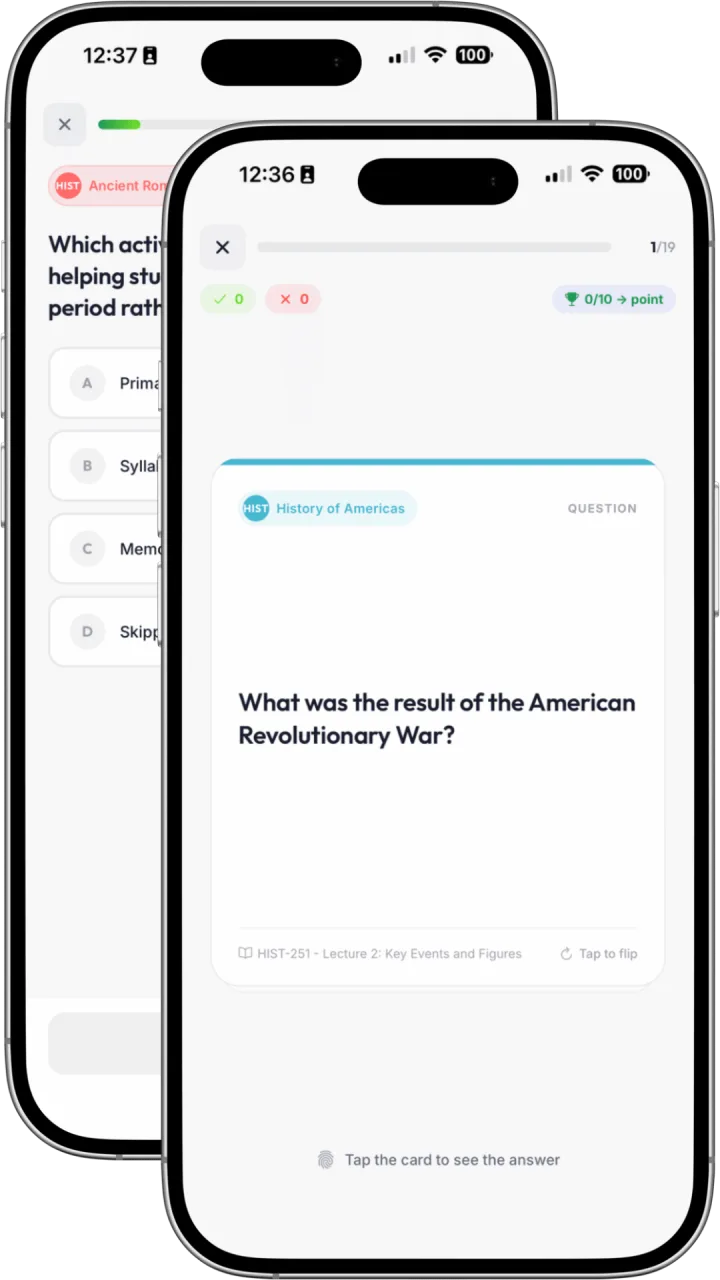
Review with flashcards and quizzes
Katav generates flashcards and multiple-choice quizzes from your own notes, with spaced repetition and a score — so a bus ride turns into a real review session.
Mobile is for studying. Web is for taking notes.
Both apps share the same content in real time — start a lecture note on the laptop, review it on the phone, run a flashcard round on the bus. They're built to do different jobs.
On the phone
Flashcards in 5-minute rounds
Pomodoro sessions wherever you are
Quick quizzes between classes
Reread summaries and key concepts
Record a lecture and let Katav transcribe it
On the web
Full rich-text editor with images and sketching
Best place to write during a lecture
Build your knowledge base across all subjects
Manage courses, classes and exam plans
Heavier features: PDF import, study plans, mind maps
Ready to study on the go?
Download the Katav app and turn every spare minute into review time.
Free with your Katav account. Sync is automatic between mobile and web.