
A notebook that studies with you.
Take notes your way. Katav organizes them by subject and turns everything into summaries, flashcards and quizzes — so you walk into the exam knowing exactly what to review.

From the first day of class to the night before the exam
Six tools that work from your own notes — no generic content.
Automatic summaries
Pages of notes become a tight summary of the points that actually show up on the exam.
Ready-made flashcards
Decks generated from your subject, with spaced repetition so it actually sticks.
Subject quiz
A quick multiple-choice test to find out what hasn't sunk in yet.
Subjects and classes
Every subject with its classes, files and notes in one place.
Semester calendar
Classes, exams and deadlines in a single view — no last-minute surprises.
Export and share
Send the summary as PDF or DOCX to your class group in two clicks.
Turn your notes into real practice
Pick one class, one chapter or the whole semester. Katav builds the study material in seconds, always from what you wrote.
Spaced repetition grounded in learning science
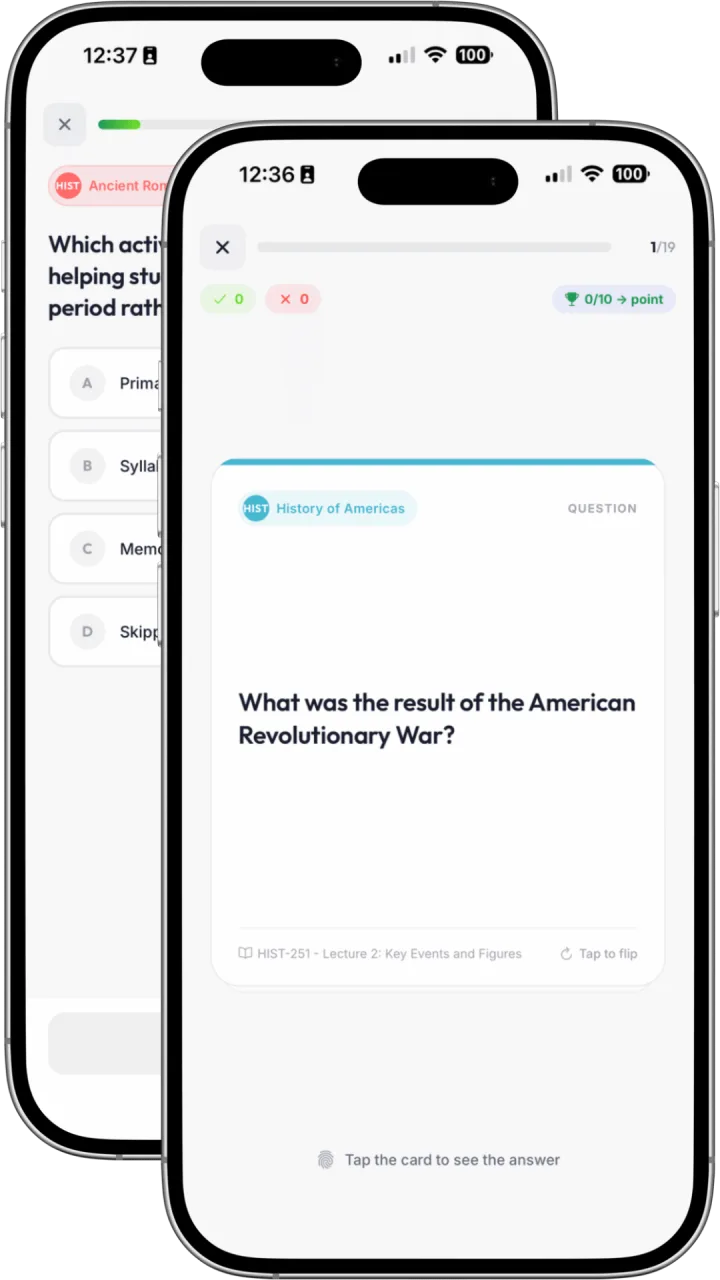
Quizzes per subject, graded on the spot
Record the class and get an organized transcript
Quiz · Calculus II
What is the derivative of f(x) = x²?
See what Katav looks like in real life
Watch a subject come together — from the first detail to a tidy list of classes and lecture notes.
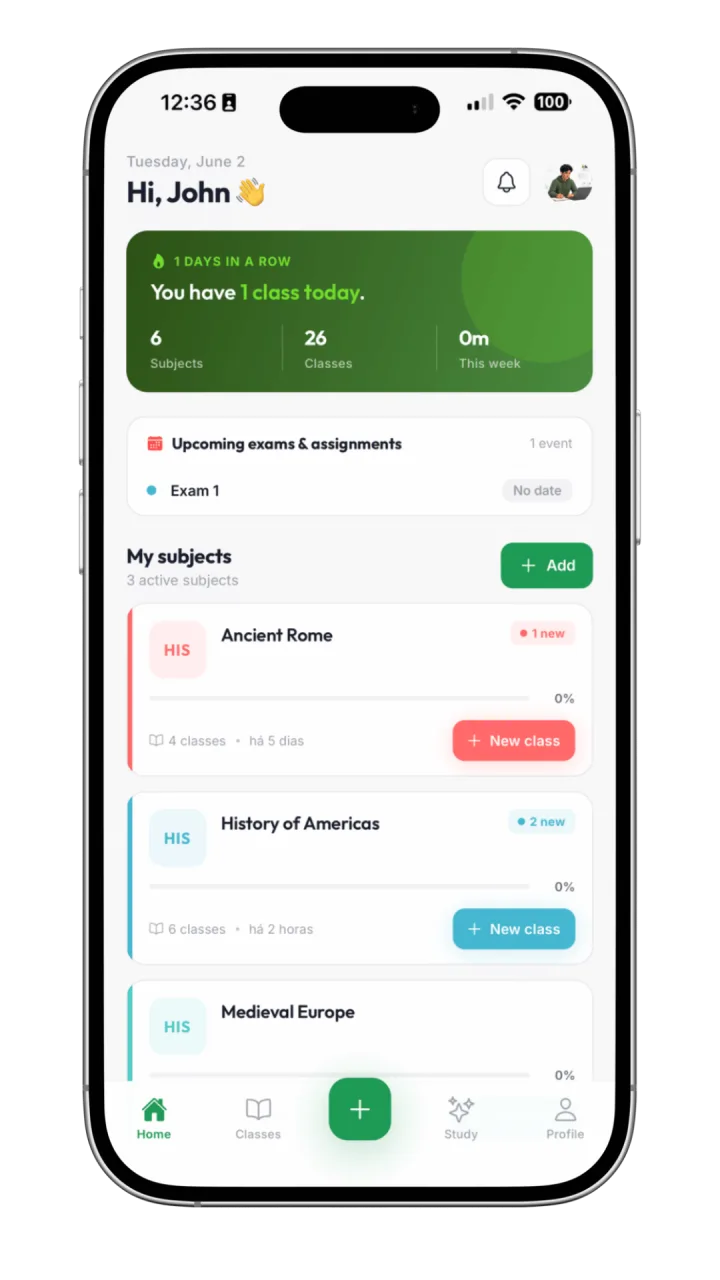
Every class and note, neatly organized
Add a subject with its color, weekly schedule and professor, and Katav keeps each lecture, assignment and note grouped under it — so nothing gets lost across the semester.
- Subjects grouped by status, color and schedule
- Each class card links straight to its lecture notes
- Assignments and grades tracked alongside your classes
A 30-second look at creating a subject and organizing its classes. Tap to play or pause.
Build a study plan in one click
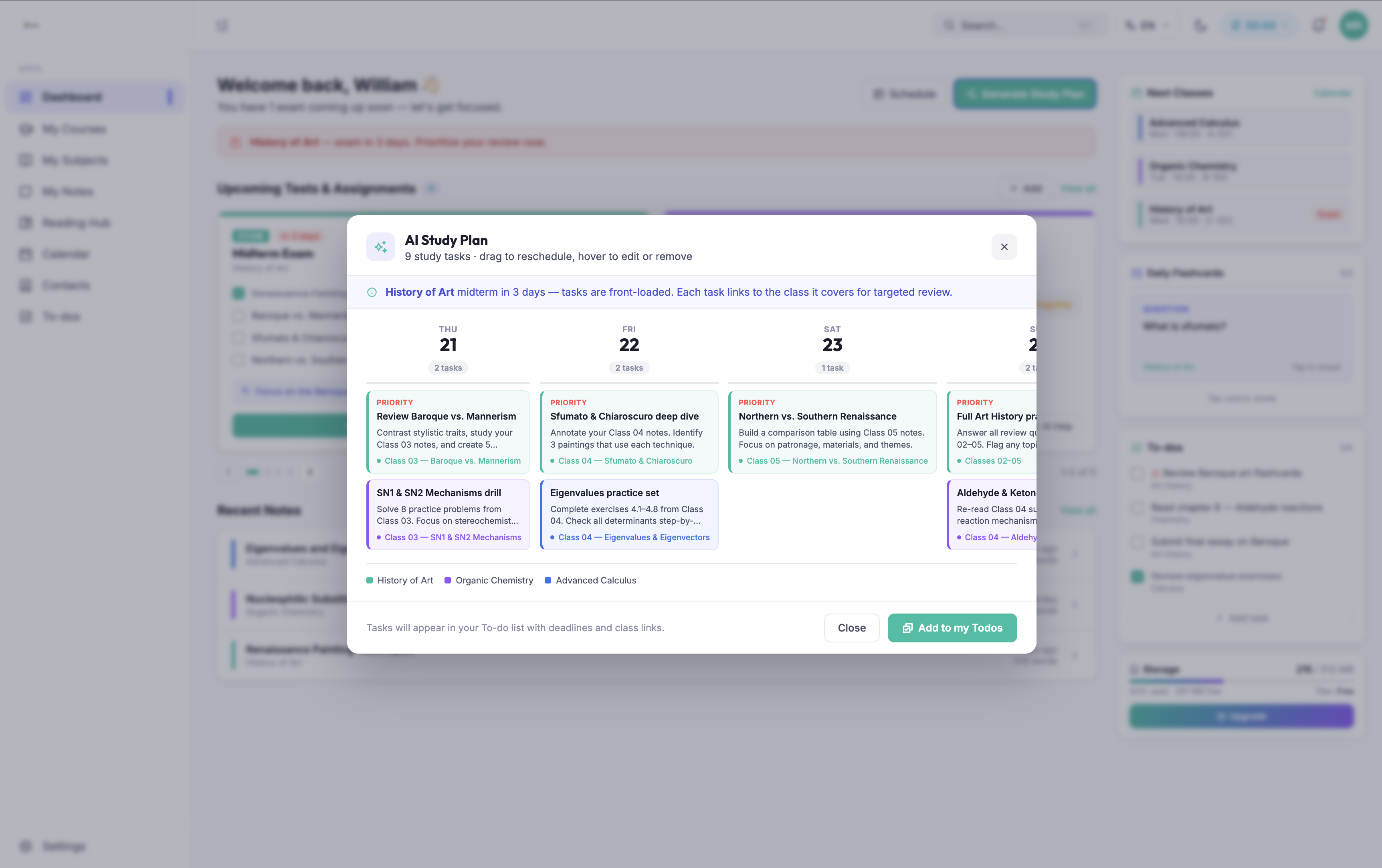
Watch Katav read your exams, classes and notes — then turn them into a day-by-day study plan, front-loaded for your next test.
A 18-second look at the AI Study Plan flow. Tap to play or pause.
Three features that change your semester
It's not just storing notes. Katav listens to the lecture with you, organizes your readings and tests you before the exam does.
01
Record the lecture and take notes at the same time
You write what you can; Katav records the rest. Afterwards it fills your notes in with what slipped past and flags the passages where what you wrote doesn't match what was said in class.
Your noteChain rule — derivative of a composite function.
Katav filled inThe general form given in class was (f∘g)'(x) = f'(g(x)) · g'(x), with sin(x²) as the worked example.
Possible mix-upYou wrote “product rule”, but the example in class was a composite function — worth a second look.
02
One hub for the whole reading list
Register the required readings for each subject and build reading notes for articles, chapters and books — reference, core argument, quotations and your own commentary, all in one place.
03
A mock exam built from your own classes
Katav uses the content of your classes and readings to build a practice exam — timed, graded, and with a report of what you need to review before the real thing.
See what Katav looks like in real life
It's not just a pretty screen. These are the views Katav users open every day to study.
What matters most, right when you open the app
Next classes, exams coming up, today's flashcards and open tasks. No need to dig for anything.
- Alerts for exams in the next few days
- AI-generated study plan in one click
- Daily flashcards ready in the sidebar
Courses and subjects organized your way
Each course becomes a track with subjects, classes, notes and progress. Everything in one place.
- Status by subject: studying, to study, completed
- Grades and averages per subject
- Overall course progress always visible

A note editor built for class
Rich notes with formatting, images and sketching. Connect to AI to summarize, generate flashcards or ask questions without leaving the page.
- Rich editor with headings, lists and images
- Automatic summary once the class is over
- Class details always one click away

AI builds your study plan all the way to exam day
Katav looks at your classes and exam dates, then breaks the content into tasks spread across your days. Each task opens straight into the class it covers.
- Tasks prioritized by how much time is left
- Direct link to the class each task covers
- Add the whole plan to your to-dos in one click
Complete notes gaps with Audio Transcription
Record the lecture and Katav transcribes it automatically, then compares the transcript with your notes to fill in what you missed and flag passages that might be wrong. Every suggestion shows up inline, so you decide what to keep.
- Class recordings turned into accurate text
- Missing points added straight into your notes
- Passages that contradict the lecture flagged for review

Study Smarter in 3 Simple Steps
From your first lecture to final review, Katav handles the heavy lifting so you can focus on what matters.
Capture
Record lectures, type notes, or upload PDFs and slides. Katav accepts audio, text, and documents from any source.
Organize
AI organizes everything by subject, topic, and concept. Your knowledge base stays searchable and shaped the way you studied.
Review
Review summaries, run flashcards, and see how topics connect across your subjects. Walk into the exam ready.
Take notes in class, review on the bus
Your subjects sync across computer, phone and tablet — start a note on one and finish it on another.
Web
A full editor in the browser, with keyboard shortcuts and side-by-side panels for writing fast.
Phone
Record the class, photograph the board and review flashcards in any queue — it works offline.
Tablet
Everything the Katav web app does, plus offline use and handwritten notes.
How Katav compares to the alternatives
We won't pretend Katav wins at everything. Each comparison says where Katav helps and where the other tool does the job better.
Frequently Asked Questions
Got a question? If the answer isn't here, get in touch and we'll help.
Katav uses AI speech-to-text to transcribe audio in real time or after recording. It supports several languages and handles academic vocabulary well. You can also edit the transcription afterwards if anything came out wrong.
Katav analyzes all your notes and finds themes, terms and ideas that come up across subjects. It then links related concepts. For example: it can show how statistical methods from your Math class show up in your Psychology research methods.
Yes. Your notes and recordings are encrypted. We never share your academic content with third parties. You stay in control of your data and can export or delete it whenever you want.
You can record and take notes offline. AI processing (transcription, summaries and concept connections) needs an internet connection, but your content syncs automatically once you're back online.
No. You keep access to all your files and notes even if you downgrade to a cheaper or free plan. The only exception: Katav can delete accounts that have been inactive for more than 4 years. Before that happens we always send an email. You can also export and back up your notes and files to your computer any time.
Yes. Katav imports your OneNote notebooks automatically — notes, audio, and images. Just go to a subject's classes area and click Import → Import from OneNote. And if you ever want to leave, we export everything back to OneNote. You're never locked in with us.
The semester has started. Start with it.
Create your free account, set up your subjects and let AI handle the revision.
Start FreeQuestions? Talk to support